
Introducing app.exfatloss.com
One app to rule them all..

You might be aware that I’ve created several small to medium sized web apps over the years, both to help myself think through certain ideas and to help others.
It was sort of a hodgepodge of little tools and graphs since I just created a new one each time I had an idea. For a while now, I’ve wanted to unify all those into one “super app” to both make it easier to find the ones you want, and to enable potential future features.
For example, people have forever asked me for an automatic way to upload their OmegaQuant Complete tests to the Omega Tracker, or to save or combine their favorite food ingredients on the Foodulator. A lot of features of this sort require a little bit of infrastructure that would just be tedious to add for 10 little apps each, but no big deal if you could just do it once for all of them combined.
Some of the apps also got pretty slow, timed out, or loaded forever. Another issue that I didn’t want to fix 10x, only to then remove the duplicated effort later.
I was just too busy last year, but I finally got around to the first step last week: merging all the little apps into one.
app.exfatloss.com
This is the new home page when you click “Tools” in the menu bar of the blog:

You can see that it has 2 section, “Apps” for more fully-fledged things that used to be their own little app. Right now that’s the Omega Tracker and the Foodulator.
Everything else was just sort of little calculator/visualizers that I used to cram under the “Macros” category, although many of them don’t necessarily have much to do with macros. These are all lumped together now in the second section. Typically these are a single page or graph, maybe with a few sliders. And they usually wouldn’t warrant much expansion or more features in the future, because of their inherent simplicity.
When you click on any of these tools or apps, they’re exactly the same as they were before, with tiny changes in design or color scheme, or moving a little thing here or there around.
As of yet, they don’t have more features than before. This was just sort of a spring cleaning effort to facilitate working on them and improving the foundation. In programming, this is called “refactoring.”
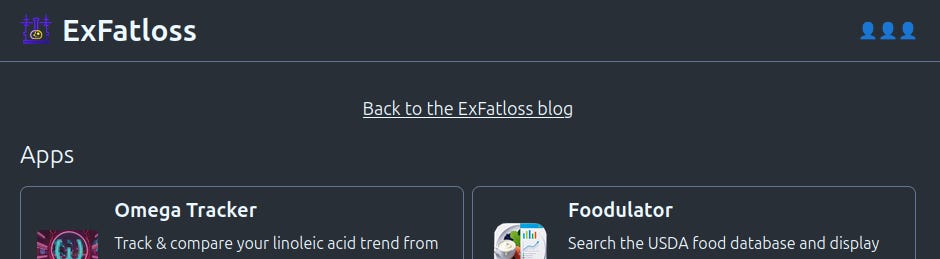
And because it was easy enough to do, there’s now a little bonus feature: in the top right corner, you can see if other people are using the app right now. Every little head represents one user. You can hover over the icons to see which of the tools each user is currently visiting.
Feedback appreciated
As always, I welcome feedback. I can’t work on every request or feature, of course, but this refactor should make it a lot easier to do some of them.
And if you find any bugs, changes, or design issues, let me know at hello at exfatloss. dot com or here in the comments!
This is great 👍🏻
Great app. Weird issue on mobile where the bottom browser menu on brave wont let me read the bottom of the page, keeps popping up